


A funeral program template is a ready-made layout for the printed order of service handed out at a funeral, memorial, or celebration-of-life event. It typically includes placeholders for a photo, the order of service, an obituary, and acknowledgments, and can be opened in Microsoft Word, Canva, or similar software and edited to match the family’s wording, denomination, and design preferences.
| Quick Answer A funeral program template is a pre-formatted document, most often built for Microsoft Word or Canva, that lays out the sections of a funeral service program in advance, such as the cover photo, order of service, obituary, and acknowledgments. Free versions are available from Microsoft’s own template gallery, Canva, and independent template sites, while denomination-specific versions, such as Catholic funeral Mass templates, follow the structure of that faith’s liturgy. |
Planning a funeral program on a tight timeline does not require starting from a blank page. Free and editable templates exist for Word, Canva, and other design tools, including versions built specifically for a Catholic funeral Mass or a general Christian or secular memorial service.
This guide explains what a funeral program template contains, how to format one correctly, where to find free and editable versions, and how Catholic Mass programs differ from a standard memorial program.
| Key Takeaways A funeral program template provides a pre-built layout, so families only need to add names, dates, photos, and the order of service.Standard programs use a bi-fold or tri-fold layout printed on a single sheet of paper.Free templates are commonly available through Microsoft Word’s built-in template gallery, Canva, and dedicated funeral-planning template sites.Catholic funeral Mass programs follow the structure of the Mass, including specific readings and Communion, which sets them apart from non-denominational programs.Templates can be edited to add or remove sections, so the same base file can work for a religious service, a secular memorial, or a celebration of life. |
What Is a Funeral Program Template?
A funeral program template is a pre-designed document file that lays out the standard sections of a funeral or memorial program, so a family or funeral director can fill in specific names, dates, photos, and readings without designing a layout from scratch.
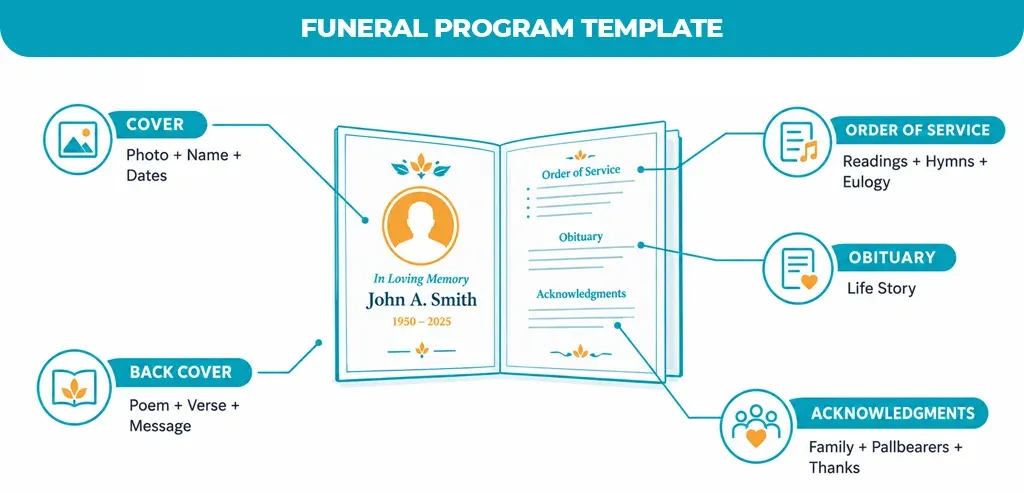
- Cover page: A cover page with the deceased’s name, a photo, and the dates of birth and death.
- Order of service: The order of service, listing readings, hymns, eulogies, and other parts of the ceremony in sequence.
- Obituary: A short obituary or biography summarizing the person’s life.
- Acknowledgments: A list of pallbearers, officiants, and family members, along with a thank-you note to attendees.
- Back cover: A closing poem, quote, Bible verse, or thank-you message on the back panel.
Standard Funeral Program Layout and Sections
Most funeral program templates are built around a single sheet of paper folded into either two or three panels, which controls how the sections above are distributed across the front, inside, and back of the program.
- Bi-fold layout: A single 8.5 x 11-inch sheet is folded once down the middle, creating a front cover and three inside/back panels.
- Tri-fold layout: The same sheet is folded twice, creating six panels; this is common for programs with a longer order of service or multiple photos.
- Booklet layout: Some families use a larger sheet, such as 11 x 17 inches, folded to a booklet size, which allows more room for photos, tributes, or multiple obituaries.
| Layout | Panels | Best For |
| Bi-fold | 4 panels | Shorter services with a brief order of service |
| Tri-fold | 6 panels | Services with several readings, hymns, or speakers |
| Booklet (11×17) | 8+ panels | Services with multiple photos, tributes, or a printed eulogy |
Free Funeral Program Templates: Where to Find Them
Free funeral program templates are widely available through general office software and design platforms, rather than only through funeral homes, which gives families more control over cost and design.
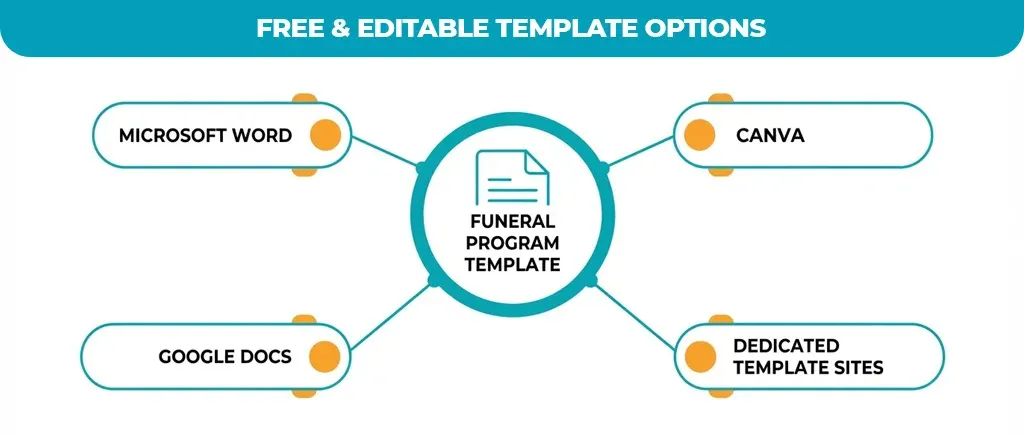
- Microsoft Word template gallery: Microsoft’s own template library includes free, downloadable funeral and memorial program templates built for Word.
- Canva: Canva offers free and paid funeral program templates that can be edited directly in a browser and downloaded as a PDF or image file.
- Google Docs: Google Docs has a smaller selection of built-in templates, though many Word-formatted templates can be uploaded and edited there as well.
- Dedicated template sites: Independent template marketplaces and funeral-planning websites offer free sample layouts, often alongside paid, more heavily designed versions.
Free templates are generally suitable for straightforward, one-page programs. Paid or premium templates are more common when a family wants a specific design theme, additional photo placeholders, or a matching set of memorial cards and thank-you notes.
Funeral Program Template for Word: What to Know
A funeral program template built for Word is typically a .docx or .dotx file with placeholder text boxes for the photo, title, and order of service, so the layout stays intact while the wording is edited.
- Compatibility: Word templates open directly in Microsoft Word and, in most cases, in Google Docs or LibreOffice Writer with only minor formatting adjustments.
- Editing: Replace placeholder text by clicking directly into each text box rather than deleting and retyping the whole layout, which helps preserve fonts and spacing.
- Page setup: Set the page size and margins to match the intended fold before adding text, since resizing after the layout is filled in can shift photos and text boxes.
- Printing: Print on a heavier paper stock, such as 80 to 100 lb. cover stock, for a more durable, professional-feeling program.
Catholic Funeral Mass Program Templates
A Catholic funeral program template follows the structure of the Funeral Mass rather than a general order of service, so it includes specific liturgical elements such as the entrance rite, Liturgy of the Word, Liturgy of the Eucharist, and the final commendation.
- Entrance rite: The reception of the body, opening prayers, and the entrance procession into the church.
- Liturgy of the Word: Scripture readings, a responsorial psalm, and the homily delivered by the priest or deacon.
- Liturgy of the Eucharist: The Eucharistic prayer and Communion, included when the Mass is a full Funeral Mass rather than a graveside or memorial service.
- Final commendation: Closing prayers and the blessing of the casket before it is carried from the church.
Because these elements are set by the Mass itself, a Catholic funeral program template generally leaves less room for substituting secular readings or music compared with a non-denominational template, and it is best reviewed with the presiding priest or parish office before printing.
How to Create Your Own Funeral Program
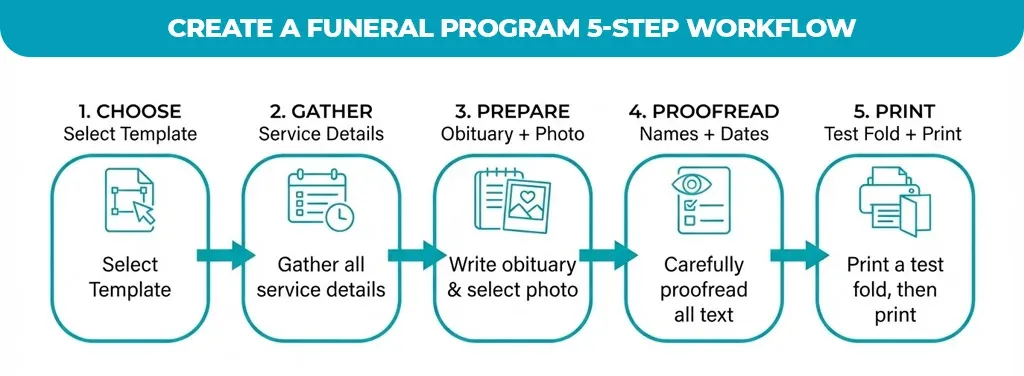
Creating a funeral program from a template is largely a matter of gathering the right information first and then filling in an existing layout, rather than designing pages from scratch.
- Choose a template: Select a template that matches the service type, such as a general memorial, a celebration of life, or a Catholic funeral Mass.
- Gather the order of service: Confirm the order of service with the officiant or funeral director, including readings, hymns, and speakers.
- Prepare the obituary and photo: Write or finalize the obituary text and select a clear, high-resolution photo of the deceased.
- Fill in the template: Fill in each placeholder in the template, checking names, dates, and titles for accuracy as you go.
- Proofread: Have at least one other family member review the program for spelling and factual errors before printing.
- Print and fold: Print on the paper size and stock that match the template’s fold, and fold a test copy before printing the full quantity.
| Option | Cost | Customization | Turnaround |
| DIY with a free template | Low (paper and printing only) | Full control over wording and design | Same day, depending on printing access |
| Funeral home program service | Included in some packages or billed separately | Limited to the options the funeral home offers | Typically arranged within the funeral home’s planning timeline |
| Professional design or print shop | Higher (design and premium printing fees) | High, with custom layouts and paper stock | Varies by shop; often 1–3 business days |
Tips for Personalizing a Funeral or Memorial Program
A template provides the structure, but personal details are what make a funeral program feel specific to the person being honored.
- Photo choice: Use a favorite photo rather than a formal portrait if it better reflects the person’s personality.
- Meaningful text: Add a favorite quote, poem, hymn, or Bible verse that reflects the person’s faith or interests.
- Design: Match fonts and colors to the person’s personality or a color they were known for, while keeping text legible in print.
- Coordinated materials: Pair the program with matching memorial or prayer cards and thank-you notes for a consistent look across all printed materials.
Get Your Funeral Program Ready
A funeral program template turns a time-sensitive task into a straightforward one: choose a layout that fits the service, fill in the details, and print. Whether the service calls for a simple bi-fold memorial program or a full Catholic funeral Mass booklet, starting from an editable template keeps the focus on the person being honored rather than on formatting.
Premier Services Agency can help match a funeral program template to your service type and walk through formatting, printing, and personalization questions. Reach out for guidance on choosing and editing a template for your family’s service.